Proton Drive Goes Command-Line: Privacy-First Cloud Storage Arrives in the Terminal
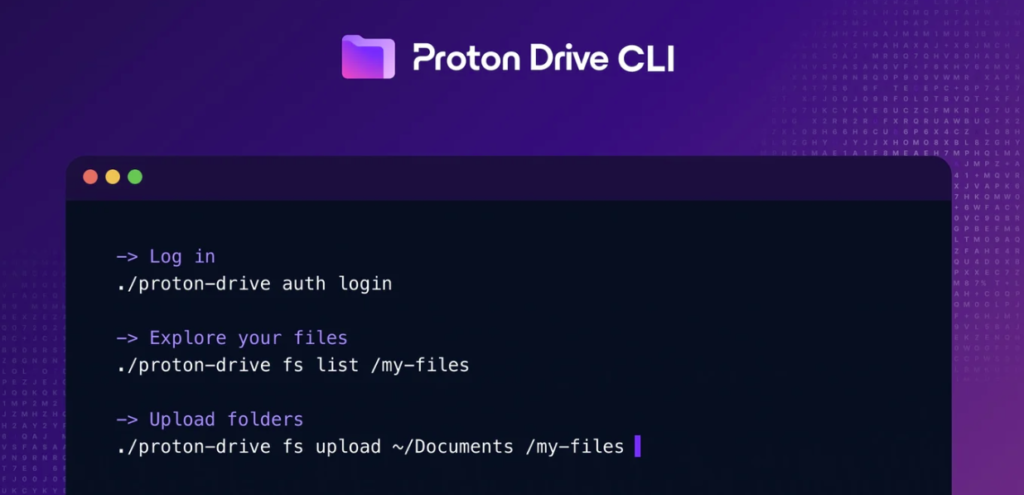
Proton, the Geneva-based company best known in the UK for its end-to-end encrypted email service, has expanded its Proton Drive cloud storage platform by launching an official command-line interface. The tool, available now for Windows, macOS, and Linux, is aimed squarely at developers, system administrators, and technically minded users who want encrypted cloud storage without leaving the terminal.
The announcement follows last week’s release of the Proton Drive SDK, an underlying engine built to unify the Drive experience across all platforms. The new CLI is built on the same SDK, meaning it inherits the same end-to-end encryption that protects files in Proton’s graphical applications.
What Can It Do?
Out of the gate, the CLI handles the core actions most users will need: logging in and out, browsing and managing files and folders, managing the trash, and handling sharing and invitations. Output is plain text by default, with a –json flag for anyone building automation on top.
Proton gives a flavour of what’s possible in practice: scheduling a folder backup with cron, uploading build artefacts after a deployment completes, or revoking a colleague’s access to a shared folder when they leave a project. The tool supports a conflict-strategy flag for uploads, so you can skip files that already exist rather than overwrite or duplicate them.
“It’s a natural fit for anyone who already works in the terminal and for teams who want their Drive workflows written down as repeatable commands rather than a series of clicks to remember.”
— Proton Drive CLI announcement, June 2026
Privacy Where You’d Least Expect It
One of the more thoughtful design choices is how authentication works. Rather than asking users to type their Proton password directly into the terminal, where it could end up in shell history or be exposed through process inspection, the CLI opens a browser window to handle sign-in. Sessions are then stored using the platform’s native credential system: Windows Credential Manager, macOS Keychain, or libsecret on Linux.
For developers concerned about supply-chain security, the CLI is open source. It’s written in TypeScript, packaged with the Bun runtime, and published in Proton’s Drive SDK repository on GitHub. Teams can audit the code and build their own binaries rather than relying on Proton’s pre-built downloads.
Not a Full Replacement for the Desktop App – Yet
Proton is clear that the CLI is a complement to, not a replacement for, the Drive desktop application. The desktop app includes a background sync engine that continuously mirrors local folders to the cloud – the CLI doesn’t do that. It’s designed for one-shot or scheduled operations rather than always-on sync.
There’s also an obvious incentive for Proton here: the company is still working on a dedicated Linux desktop client, and the CLI gives Linux users a practical path to Proton Drive in the interim. That’s a meaningful gesture toward a platform where Proton’s user base skews technical and privacy-aware.
What’s Coming Next
Proton has outlined three areas for future development: support for Photos and Albums, the ability to share files via public links, and multi-account support for managed service providers and larger teams. A full Linux desktop client with sync is also described as being in active development.
The Proton Drive CLI is now available for download at proton.me/drive/download. Pre-built binaries are available for all three major platforms, and source code is available at Proton’s GitHub repository.




